Overview
Environmental factors cause frequent false alarms on the VORTEX cloud surveillance platform. This not only leads to alert fatigue for clients, but also results in costly unnecessary security dispatches, creating a serious trust crisis and customer churn risk. This project aimed to design an "Alert Snooze" mechanism that accounts for different role permissions and workflows, reducing false alarm disruption while keeping missed-alert risk within an acceptable range.
Time
2024.05 - 2024.09
My Role
UIUX Designer
Responsible for
User Interview
UI Design
Prototyping & Design Demo
Platform
Web & App
When AI Detection Meets Uncontrollable Real-World Environments
Our Client:
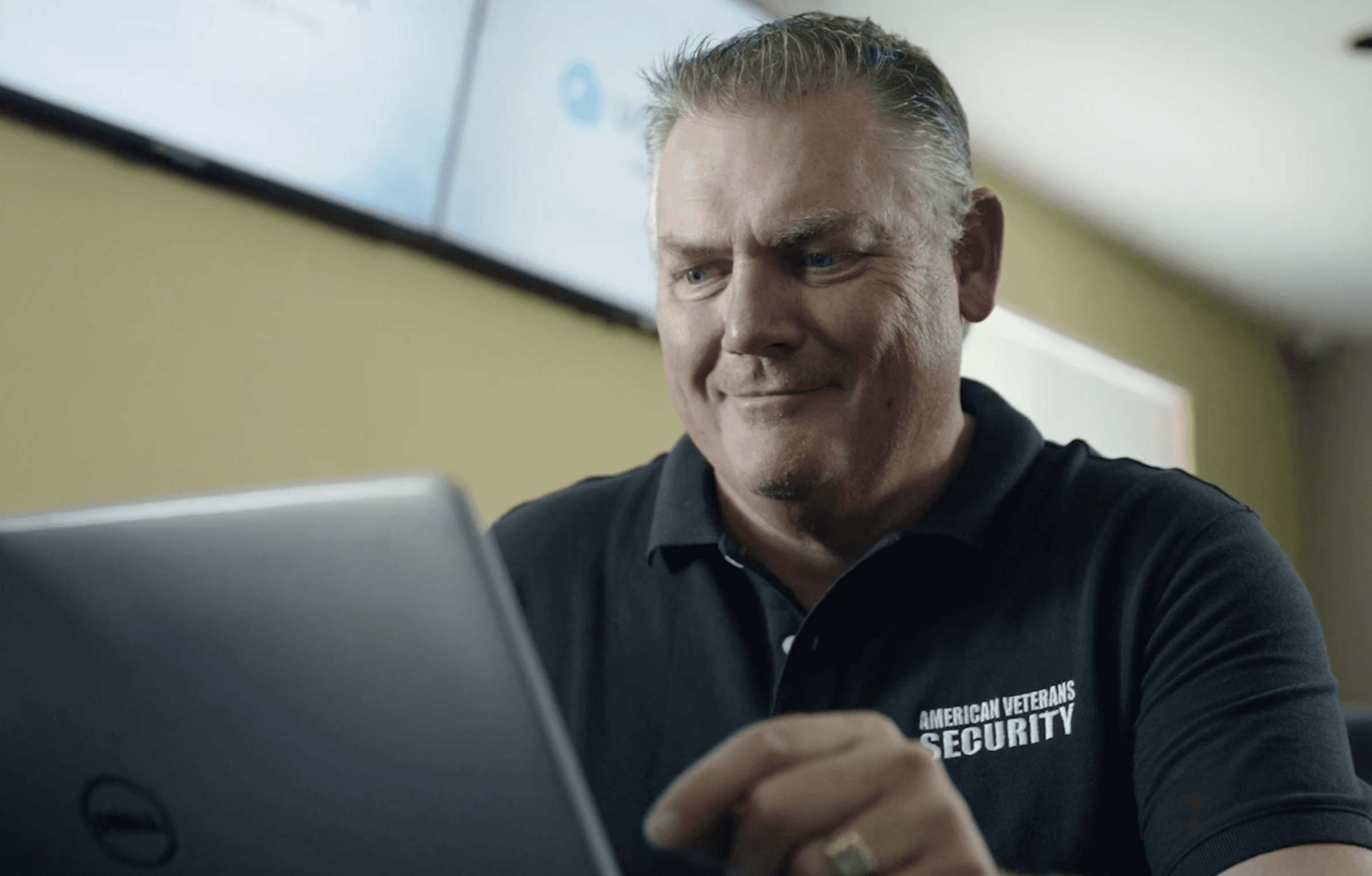
American Veterans Security (AVS) specializes in providing 24/7 security solutions for commercial buildings, retail, and factories. Their business model involves providing security to property owners through managed surveillance in exchange for service fees. VIVOTEK's cloud surveillance system, VORTEX, serves as the core monitoring platform currently used by AVS.
*Relationship Chain: VIVOTEK (Software/Hardware Provider) > AVS (Service Provider) > End Customer (Protected Entity)
Real-World Scenario & Pain Points
Key Site:
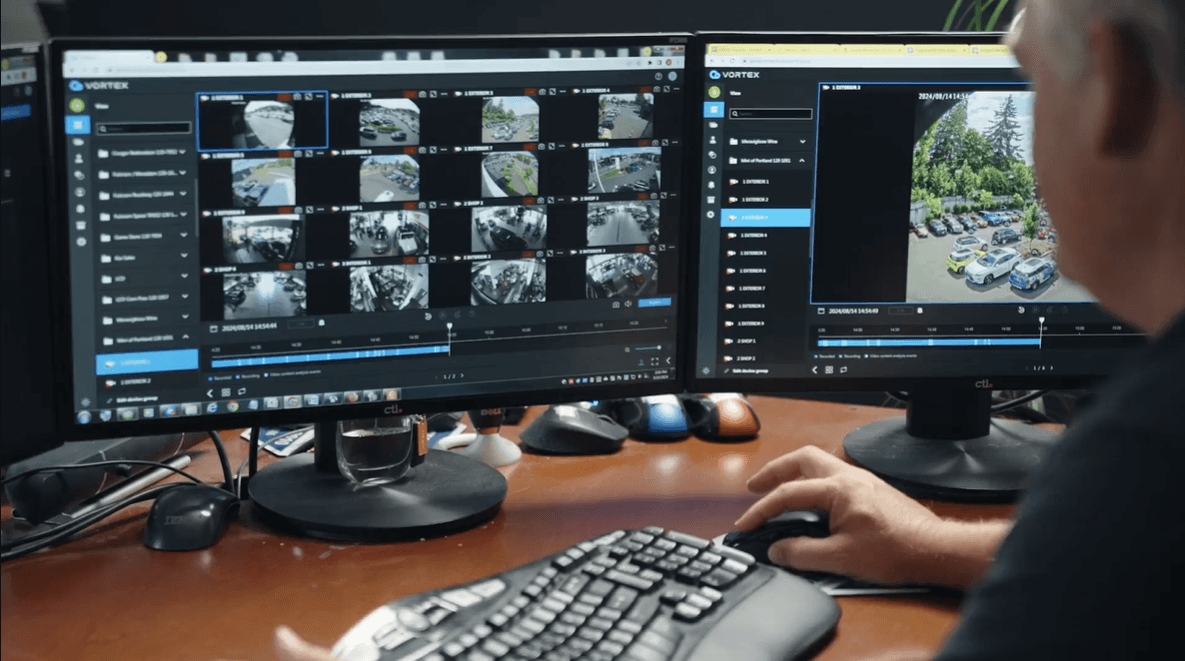
AVS is responsible for monitoring the outdoor new car lot at the well-known dealership, MINI of Portland, managing and protecting vehicle safety.

The Crisis:
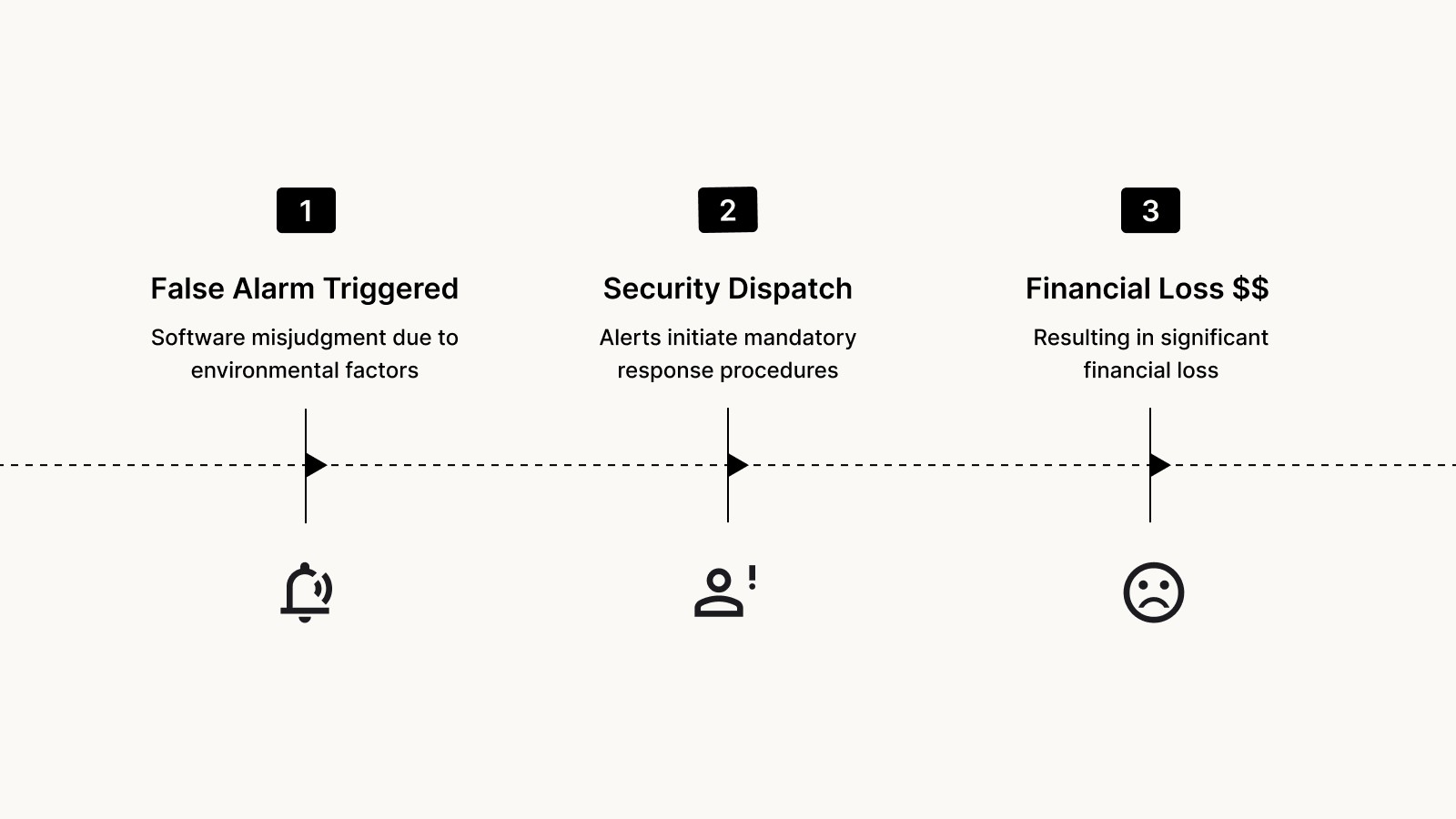
Since the surveillance site is outdoors, environmental factors such as wind, rain, or lighting changes easily trigger VORTEX AI's motion detection. For AVS, every alarm triggered represents a cost incurred (requiring manual verification or dispatching patrol vehicles).
Data showed that a single site averaged 400+ false alarms per week.
Frequent False Alarms forced AVS to incur high compensation fees and costs for unnecessary dispatches, severely eroding their profits. This inefficient operational model caused AVS to lose confidence in the VORTEX product, and we faced the severe risk of losing this key account.
Project Constraints
1
Indirect user access & cross-timezone collaboration
Due to the Marketing-Led Growth (MLG) strategy and geographical barriers (US market vs. TW design team), direct access to end-users was limited. Requirements were primarily relayed through the US marketing team.
In the early stages, we had to decode "second-hand feedback" and validate design assumptions in the absence of direct user interviews.
2
Immediate mitigation for technical limitations
Root cause analysis revealed that optimizing the hardware detection algorithm was not feasible within the urgent timeline.
After evaluating trade-offs and consulting with clients, we pivoted to a provisional mitigation strategy: "Smart Snooze". This empowers users to instantly manage false alarms, bridging the technical gap until algorithm maturity.
Most VORTEX users are general security personnel. Adjusting sensitivity settings imposes a cognitive load that is too high for this group. Furthermore, it is difficult for users to intuitively judge whether a specific sensitivity level meets surveillance requirements. (We prioritized maintaining consistent detection capabilities over risking security gaps caused by improper adjustments.)
Additionally, adjusting sensitivity does not effectively solve environmental issues, as seasonal weather changes and varying daylight hours all impact detection accuracy.
Derived User Story
As a site manager, I want to temporarily pause alarms when I identify a false alarm to avoid triggering unnecessary security dispatches, thereby saving on extra service fees.
Prerequisites for Triggering VORTEX Alarms
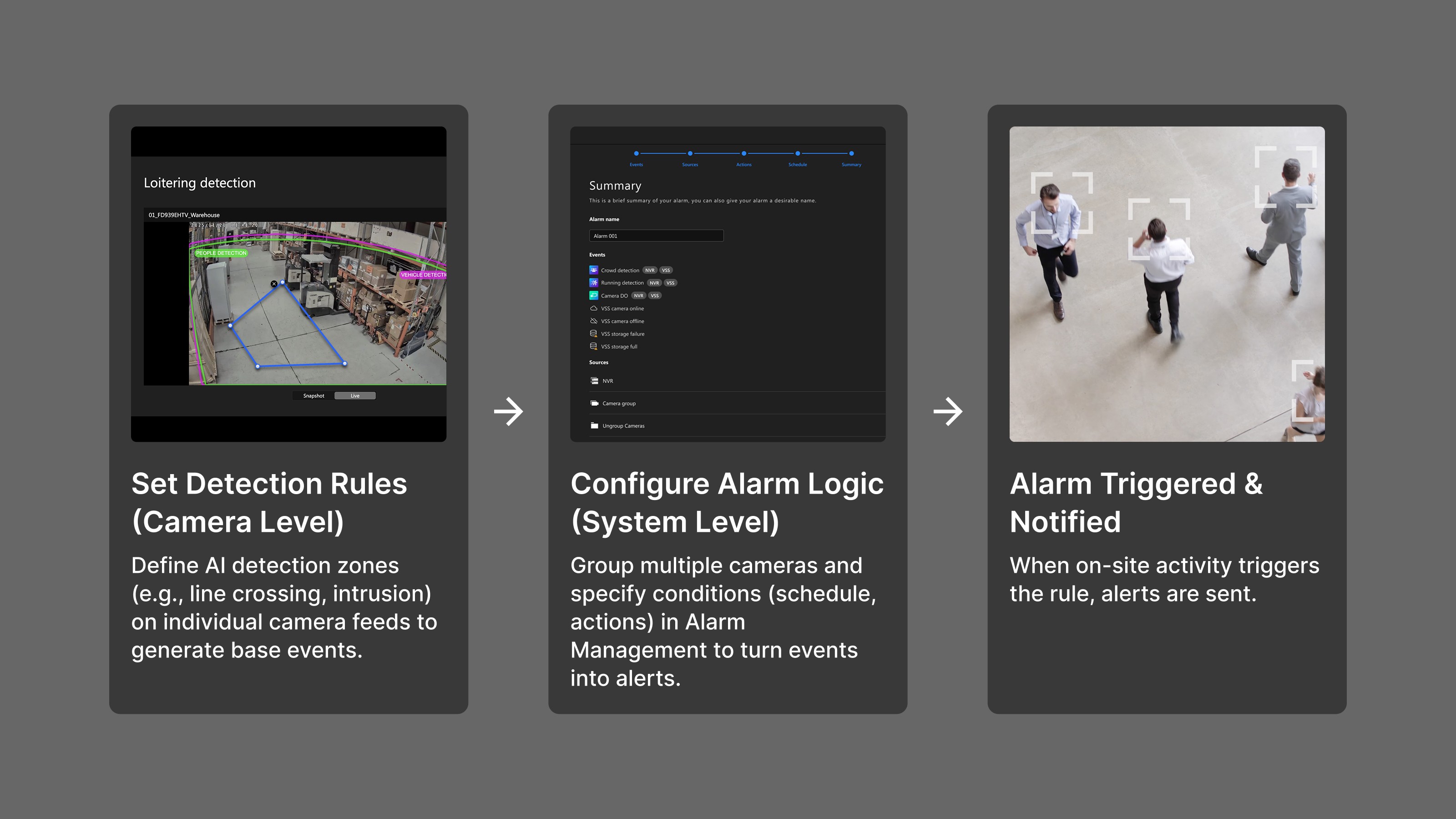
First, detection conditions and zones must be set on the device (camera). Next, the user must go to Alarm Management to configure the Alarm (including detection schedules and subsequent notification actions). Finally, the user can passively receive alarms.
Analyzing Requirements & Formulating Assumptions
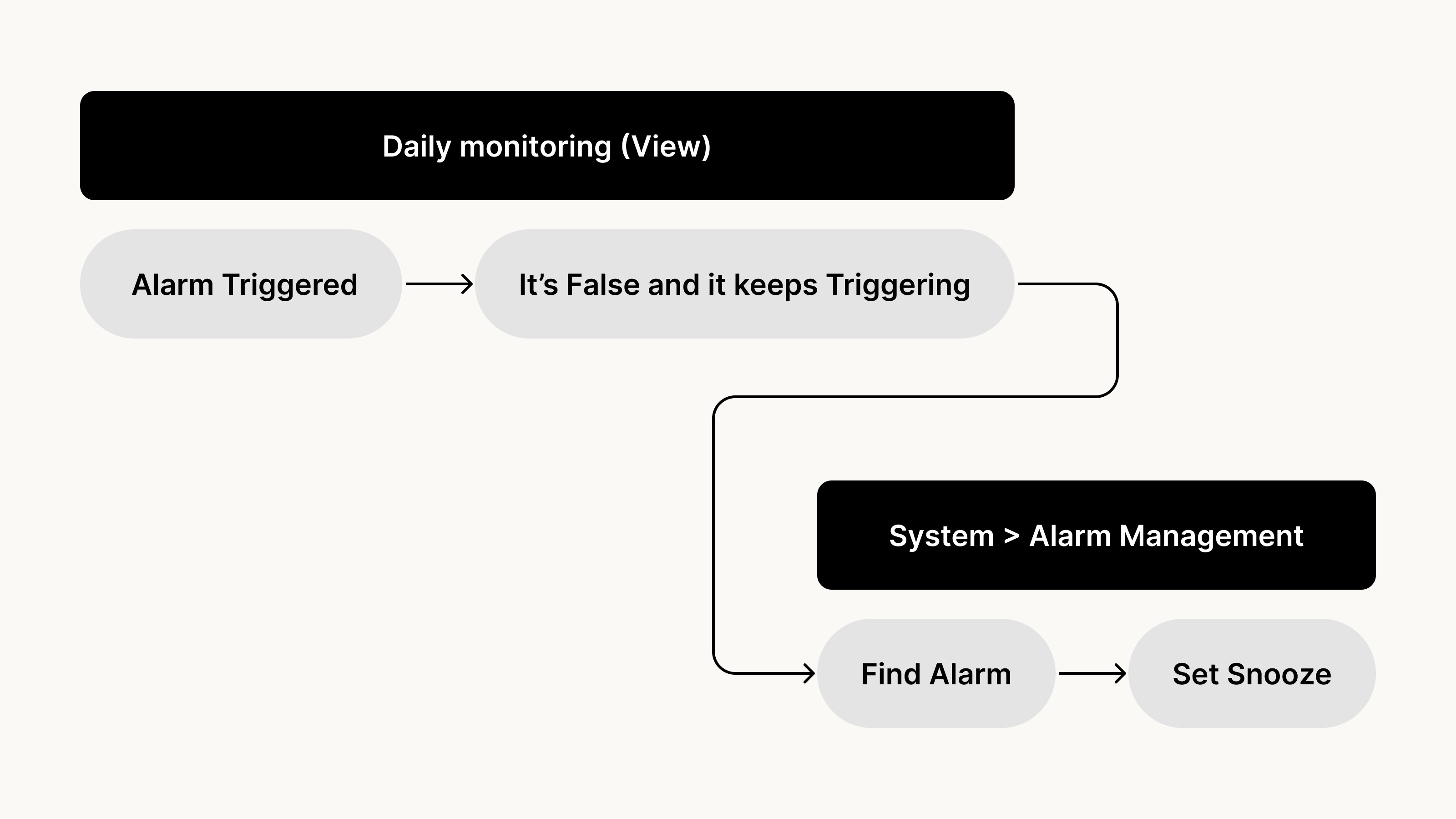
Since the essence of Snooze is to pause an Alarm Rule, placing it within Alarm Management was the most logically consistent choice within the system architecture. We also assumed this would be a global setting — one with broad organizational impact — and therefore should only be accessible to users with system-level admin permissions.
First, define the detection zone on each individual camera.
Then, go to Alarm Management to configure the trigger conditions, notification methods, and scheduling.
In VORTEX's product architecture, creating an Alarm requires two steps:
UI Screen
Users could snooze an alarm by clicking on the "problematic Alarm." (This would only "mute" subsequent notifications triggered by the alarm, while still retaining the trigger log). Users could then input their desired pause duration based on their needs.
However, after releasing this feature to users, we received complaints expressing their dissatisfaction...
Our Key Account – AVS Didn't Buy It
After launching the V1 feature, we expected to resolve the false alarm issue, but instead received strong negative feedback from our key client, AVS.
This dissatisfaction alarmed the CPO, who mandated that the design team assist the PM and Sales in resolving this crisis. This situation also led to the approval of our proposal for user interviews.
An Interview with AVS CEO John Broke Through Our Blind Spots
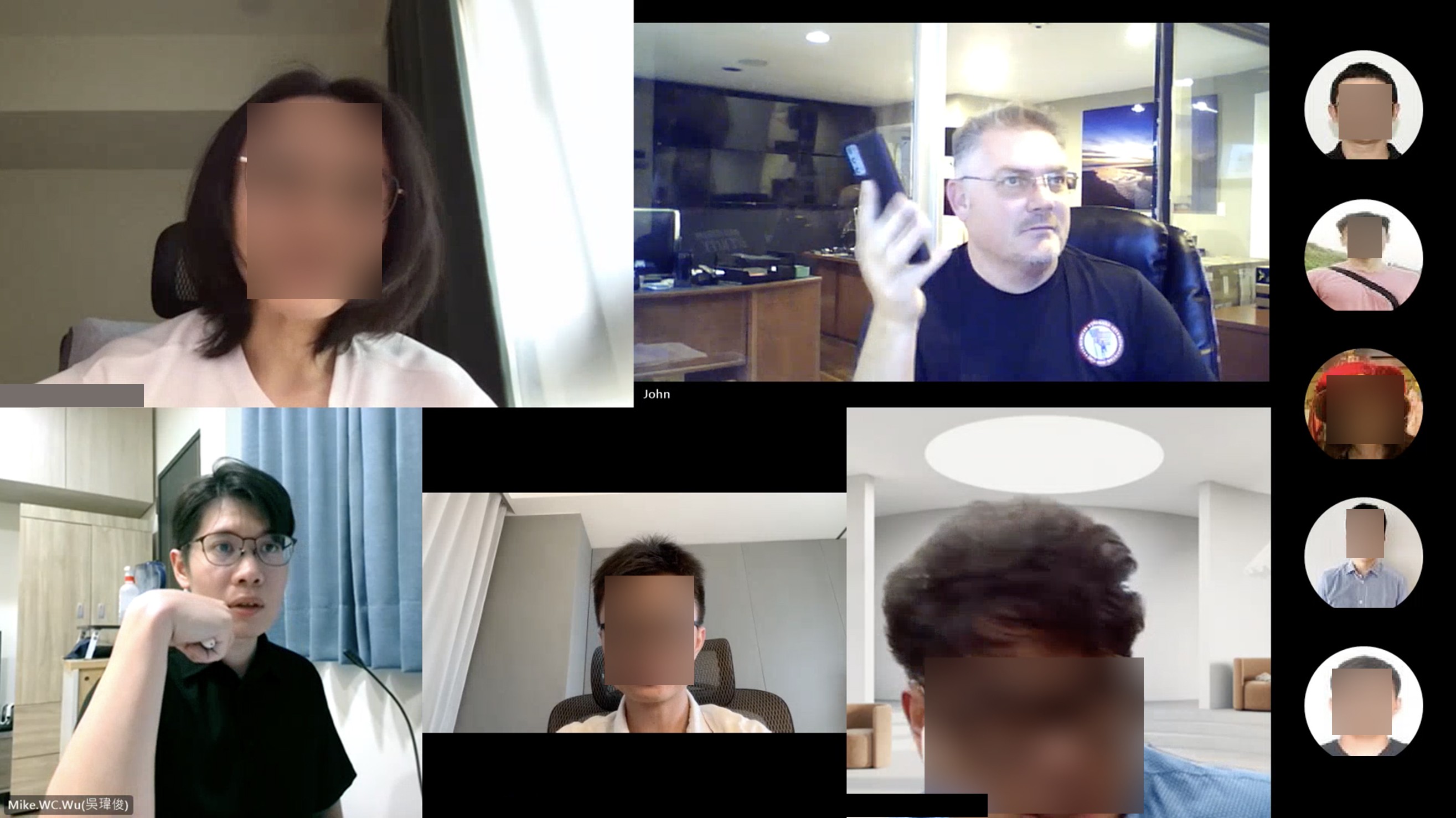
The PM, Sales, and I conducted a cross-time zone interview with the client lead. This conversation completely overturned our original assumptions and revealed three critical design gaps:
AVS operators do not stare at a video wall like traditional security guards; instead, they stand by at the Message Center.
VORTEX AI automatically captures anomalies and generates event cards that feed into the Message Center. For security personnel, this page acts as their "Task Inbox." They spend 90% of their time here reviewing events.
V1 forced users to leave this "inbox" and navigate to deep backend system settings. This not only disrupted their workflow but increased the risk of missing other urgent events. Furthermore, since AVS relies mostly on Supervisors for monitoring, they didn't even have access to these backend settings.
While pausing an "Alarm Rule" makes sense from a system logic perspective, a single rule often binds dozens of cameras. Disabling an entire Alarm just to handle a few malfunctioning cameras creates a massive security blind spot.
In VORTEX's existing settings, only Admin-level users could access the backend System to configure critical organizational settings.
However, within AVS's organizational structure, it is the Supervisors who actually monitor the screens 24/7. They had no access to the System page, leaving frontline staff with their hands tied and unable to address false alarms in real-time.
Balancing Crisis Management with Long-Term Product Growth
Facing AVS's urgent requirements, I realized we were confronting a classic product dilemma: While we had to resolve the client's pain points immediately, building a customized solution for a single client risked Feature Creep. This could compromise the product's universality and architecture, creating technical and design debt for the future.
Proposed Solution:
To balance "salvaging client trust" with "maintaining product integrity," I proposed a parallel strategy to the PM, dividing our approach into short-term and long-term goals.
Short-Term Goal: Embedding Snooze into the User Workflow
1
Rationalizing the Snooze Placement & Workflow
By embedding the Snooze function directly within the Message Center, Supervisors can now act on specific events in real time — dramatically shortening the path from "identifying a false alarm" to "resolving it."
Rather than targeting an entire Alarm group, the new design scopes down to a single detection rule on a single camera. For example, pausing Camera A's "Line Crossing Detection" without affecting its "Motion Detection" or any other cameras. This prevents the overly coarse coverage granularity that made V1 ineffective.
Users can trigger a Snooze via the action button at the end of a table row, or through the side panel menu, giving them flexible entry points based on their workflow preference.
2
Designing Permission Granularity Around Organizational Workflows
We referenced a competitor's "Snooze for Only Me vs. Everyone" mechanism and recognized that this granularity aligned well with AVS's organizational structure. When a frontline operator encounters repeated false alarms, they can immediately snooze for themselves — without waiting for approval to escalate through the chain of command. Meanwhile, upper-level management retains the authority to decide whether to extend the snooze across the entire organization.
Beyond this, we recognized that "Snooze Everyone" is inherently a decision that carries security risk. To enforce accountability, we introduced a signature system: whenever a user triggers a "Snooze Everyone" action, their signature is automatically stamped onto the snooze schedule — creating a clear, traceable record of who made the decision at every organizational level.
When a user activates "Snooze Everyone," their signature stamp is recorded on the snooze schedule.
3
Visualizing the Snooze Schedule
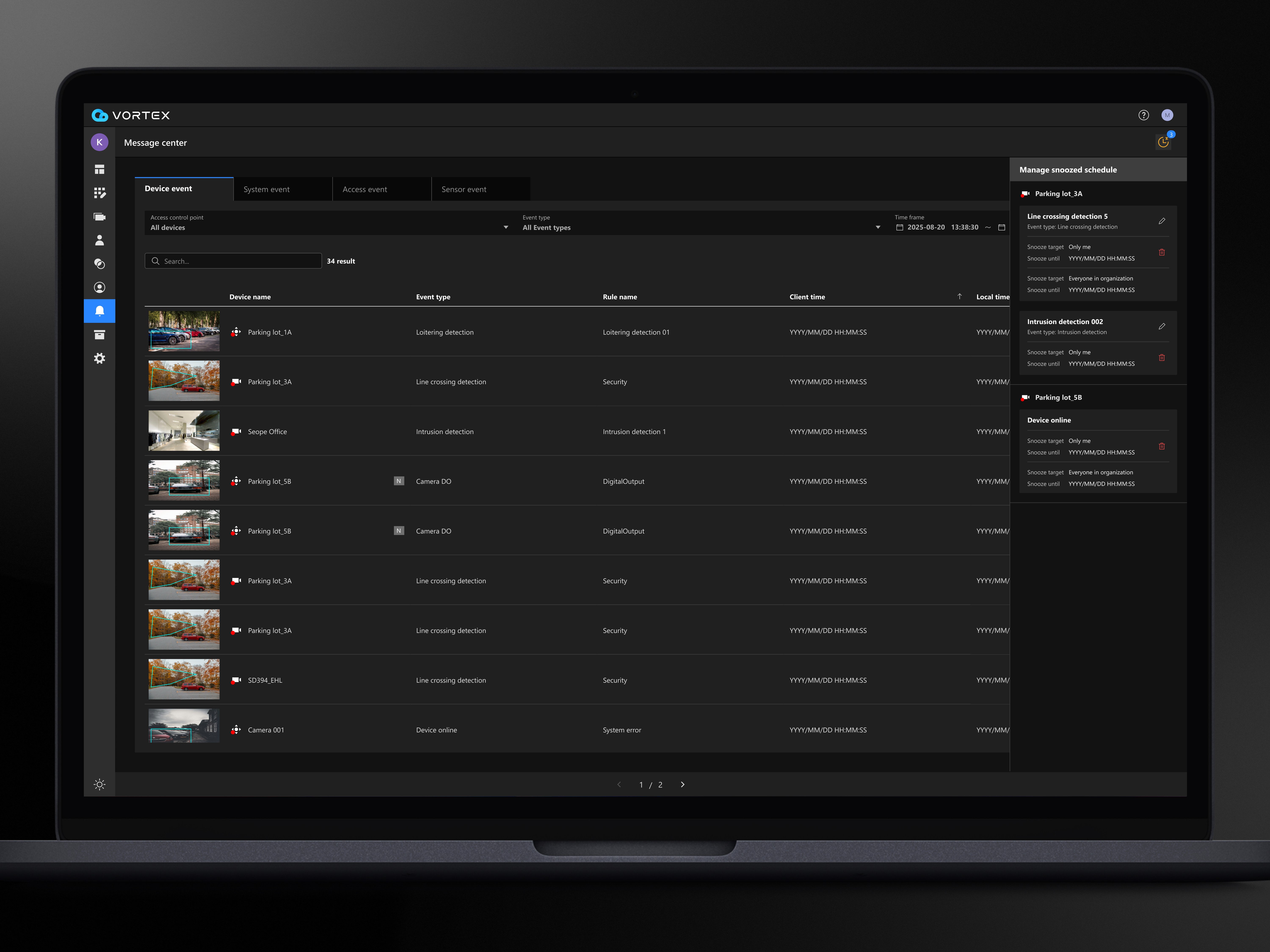
We introduced a "Manage Snoozed Schedule" panel within the Message Center, giving all collaborators across the organization a clear, at-a-glance view of which cameras and detection rules have been intentionally paused by a human operator — ensuring that snoozed events are never mistaken for system misses.
Manage snoozed schedule panel
To verify if this design change contributes to product growth, we implemented data tracking to monitor the usage frequency of both V1 and V2 paths. This data will serve as the foundation for evaluating design effectiveness.
Long-term Goal: Permission system optimization (Launched March 2026)
The VORTEX platform's previous User Privilege architecture (Owner/Admin for management + Supervisor/Viewer for execution) proved too rigid in this case. The client's organizational structure and operational workflows far exceeded our initial planning and assumptions.
Therefore, I proposed that we push for Customizable Roles in the future. This would allow enterprise clients to configure granular functional permissions based on their specific organizational needs.
We plan to use AVS as a pilot for this feature to validate demand and refine the requirements, aiming to solve the management issue at its root.
The Impact of the Redesign
Client Feedback from AVS
What restored AVS's trust was the turnaround itself — interviewing them, surfacing the three gaps V1 had missed, and redesigning around their real workflow. John's reaction came at the design demo, before any adoption data existed: "This is great! These changes will genuinely make a difference for us." In that same meeting, the client committed to expanding their camera purchases.
$2,000+ Est. Savings Per Incident
The Snooze mechanism — across both entry points — lets operators prevent the unnecessary dispatches that drive this cost. Based on AVS operational data, each avoided dispatch saves approximately $2,000 in patrol and liability. This is a mechanism-level outcome: it holds whether operators take the V1 or V2 path — which is also why the usage split between them (below) doesn't undercut the saving.
Following the feature launch, we observed several key patterns through event tracking:
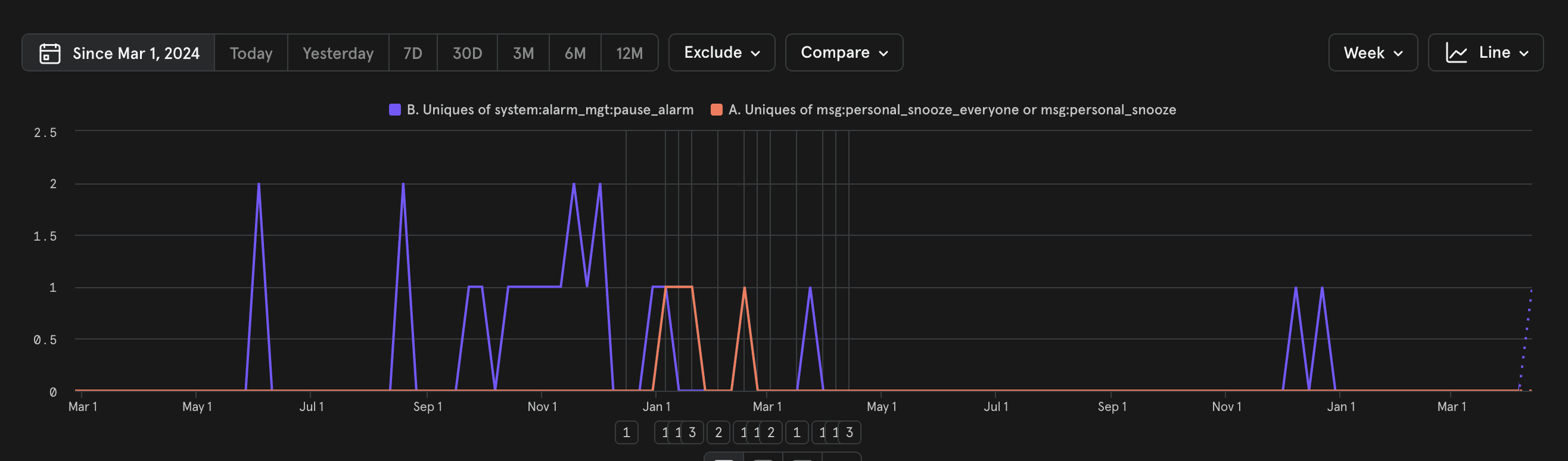
Snooze usage metrics for AVS (May 2024 – Apr 2026). Data tracks the transition from the V1 legacy path (System > Alarm Management, shown in purple) to the V2 entry points within the Message Center (Snooze for Only Me / Everyone, shown in orange).
1
Validation of Permission Hierarchy
Data from AVS shows that V2 usage is exclusively concentrated in "Snooze for Only Me," with zero instances of "Snooze for Everyone." Even across all paid organizations, the latter was used very rarely. This validates our initial hypothesis: Front-line operators prefer localized control and are hesitant to make high-stakes decisions that affect the entire organization.
2
V1 Persistence: Usage Remains 2x Higher than V2
Despite the granular control offered by V2, V1 remains the dominant path across all paid organizations. Users are still defaulting to the legacy workflow, even though V2 was designed to be more intuitive.
Hypotheses & Future Validation
The high retention of V1 suggests several possibilities that require further investigation:
Operational Efficiency: V1 mutes the entire Alarm Rule. In scenarios with multiple false alarms, this may be faster than V2’s per-camera approach.
Behavioral Inertia: Users may be sticking to long-term habits or might not be fully aware of the new V2 entry point.
Next Steps: Quantitative data alone cannot weight these factors; we need user interviews to uncover the "why" behind the persistence of V1.
1
Snooze is a Patch; Algorithms are the Cure
Snooze relies on subjective judgment, which carries the inherent risk of missing real security events. This is why I proposed "Decreased Snooze Frequency" as the long-term success metric. Every "Snooze" is essentially negative feedback for our AI. By introducing "Reason for False Alarm" into the workflow, we could feed this data back to R&D to optimize the core detection algorithms.
2
"User Approval" ≠ "User Adoption"
The tracking data revealed a disconnect: while qualitative feedback was positive, quantitative behavior showed V1 usage at double the rate of V2. This taught me that qualitative insights and quantitative behavior can point to different truths. Relying solely on interviews would have suggested total success; behavioral data provided the necessary reality check.
3
Balancing Bespoke Needs with Scalability
This project originated from an urgent request by a single client (AVS). While it solved their immediate pain point, the post-launch validation remained siloed. In the future, I would incorporate a "Generality Validation Plan" earlier in the process to ensure that solutions for one client provide scalable value for the entire platform.