Overview
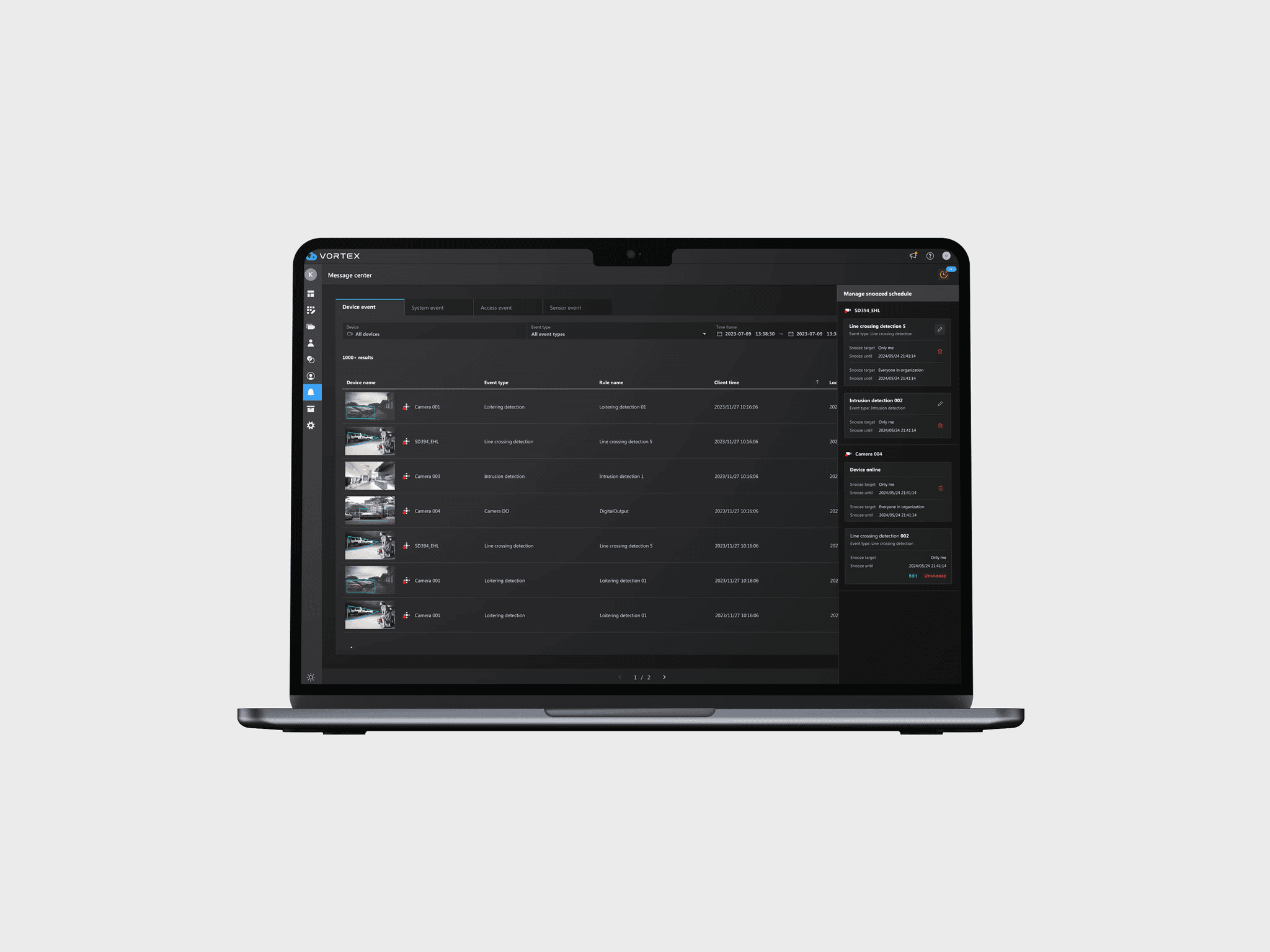
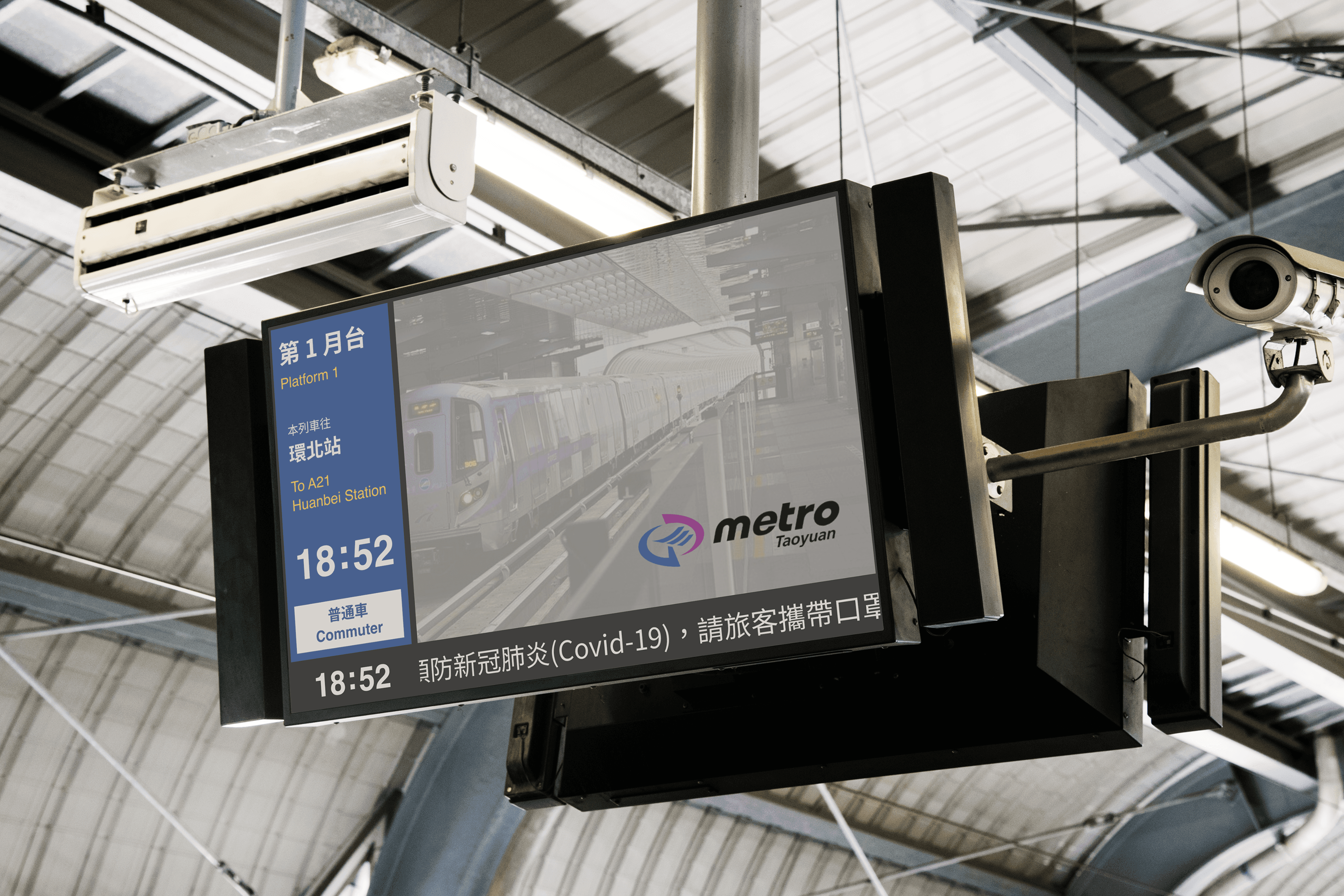
The Passenger Information Display System (PIDS) is software that allows station staff to edit and send ride information to electronic displays (in the lobby, concourse, and on platforms), providing passengers with complete and detailed information. As the legacy system was reaching the end of its service life and maintenance costs were rising, we partnered with Taoyuan Metro to develop a next-generation system platform.
Timeline
2021.09 - 2022.06
My Role
UIUX Designer & Project Lead
Responsible for
* UX Research & Strategy
* UI Design
* Prototyping & User Testing
Platform
Web
The PIDS, having been in service for nearly a decade, was plagued with critical issues affecting both passengers and staff.
For Passengers (The B2C Challenge)
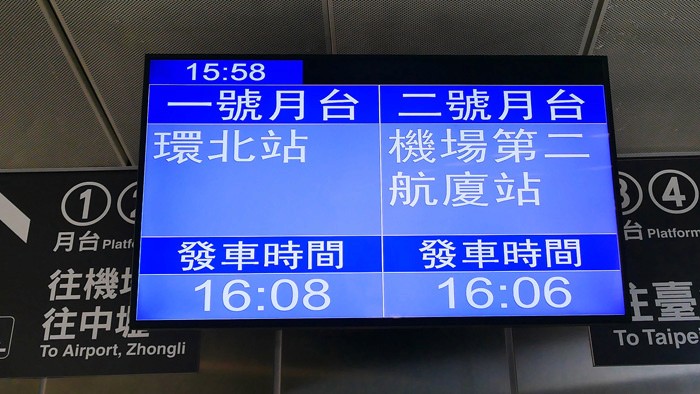
Poor Information Hierarchy & Accessibility: The oversimplified displays failed to show essential information. Passengers couldn't quickly distinguish between "Express" and "Commuter" trains or identify their train's destination (final stop vs. next stop).
Low Readability & Outdated Aesthetics: In outdoor stations, severe glare made screens unreadable. The poor use of color, low-contrast typography, and outdated aesthetics were frequently criticized by the public.
For Station Staff (The B2B/G Challenge)
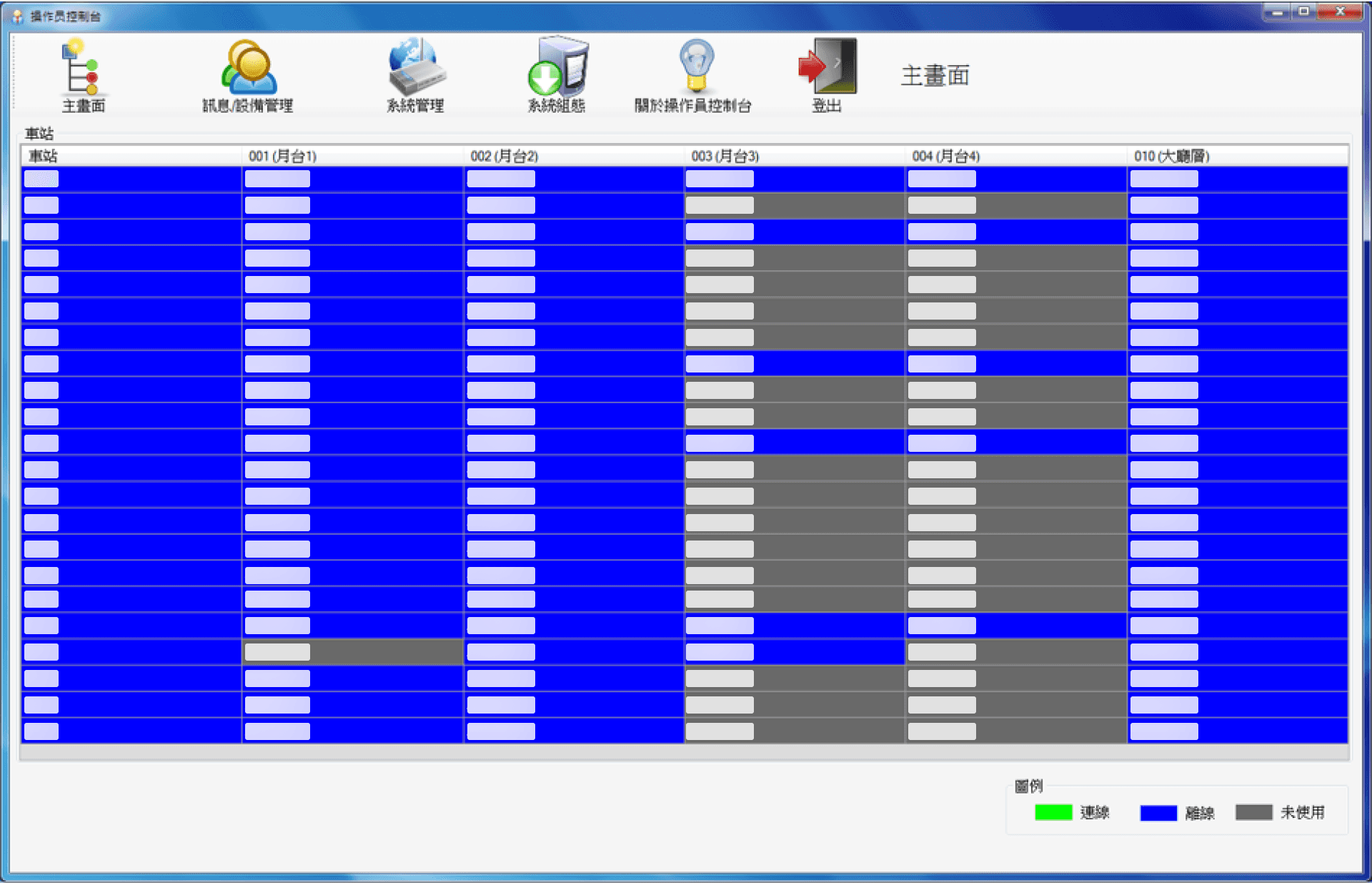
High Operational Cost: The aging system was resource-intensive, making maintenance costly, time-consuming, and inefficient.
Inefficient Workflows: The convoluted legacy UI forced internal staff into frequent, time-consuming rework, which severely impacted operational efficiency.
Recognizing these critical issues, Taoyuan Metro issued a public bid in 2021 to overhaul the entire system. This is the challenge we took on.
A Dual Role Under Pressure
I served as both the UI/UX Designer and the Project Lead. This meant that in addition to all design deliverables, I was also responsible for co-managing the aggressive project timeline alongside the hardware PM.
We faced significant uncertainty from the start. Project requirements were ill-defined, and we had to navigate the entire product lifecycle—from discovery to final development and acceptance—with extremely limited time and resources.
Taking Control: Setting a Clear Roadmap
To deliver a high-quality, validated design, I knew we couldn't just "wait and see." I took the initiative to establish a clear project schedule to manage the chaos.
User Discovery & Definition (2 weeks)
Solution Development & Design (3-4 weeks)
User Testing & Iteration (1 month)
Final Development, QA & Handover (Remaining time)
This schedule was crucial. I successfully advocated to leadership for this dedicated time for upfront research, arguing that it was essential for de-risking the project and avoiding costly rework. This allowed us to move forward with a clear, shared plan.
Step 1: Stakeholder Mapping
In the initial phase, I liaised with the client to understand their high-level expectations. We quickly identified two key stakeholder groups with very different goals…
Their priority was a simple, easy-to-use system that would fix the legacy system's flaws and improve their efficiency.
Their priority was positive public perception and ensuring the needs of their superiors were met.
Step 2: On-Site Research & Key User Personas
To get beyond high-level "expectations," our team went on-site to the Taoyuan Metro HQ. We conducted contextual inquiries, asking each user group to demonstrate their real-world tasks and system workflows.
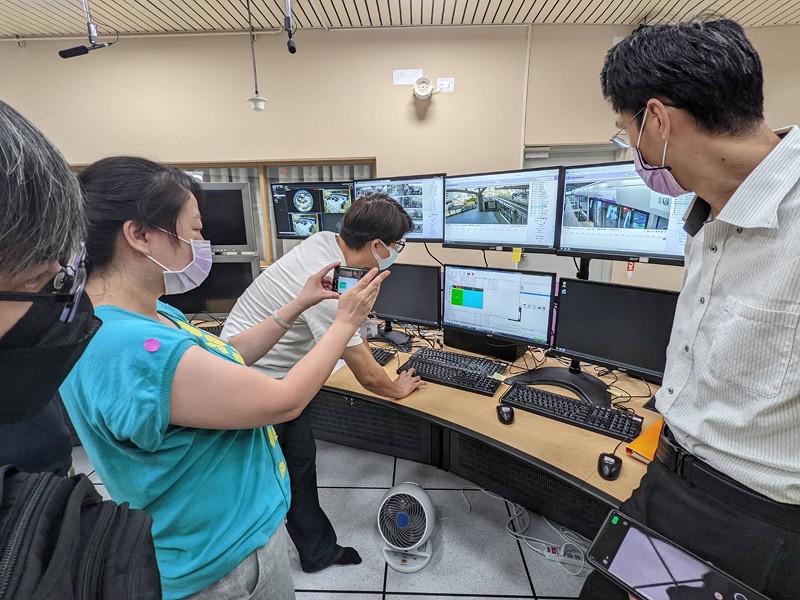
This allowed me to synthesize their needs into three distinct user personas:

The top-level admin responsible for all system and hardware maintenance, responding to any failures.
"We need to instantly find hardware/software failures and perform remote maintenance, but the old system can't do that."

Manages external ad contracts. Their job is to create and schedule ad playlists based on those contracts.
"The old system's ad scheduling workflow is a huge time-sink. It's totally unintuitive and takes forever."

Responsible for sending marquee messages and full-screen emergency alerts.
"It's a huge problem that you can't save your work while editing an emergency message. It slows down the entire process and delays our emergency response."
Synthesizing with a Service Blueprint
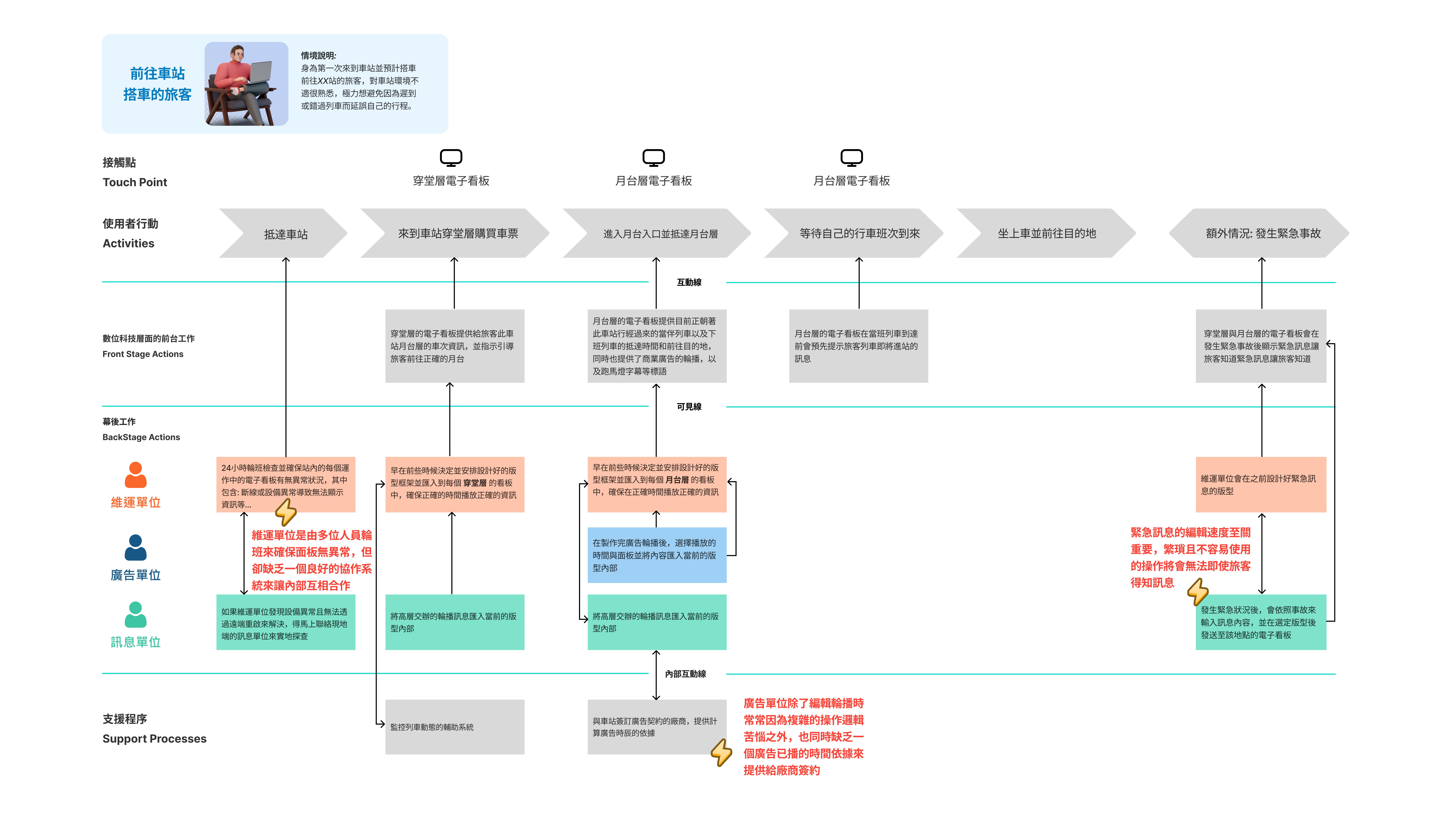
Following the interviews, I created a Service Blueprint. This visual tool was essential for analyzing the complex, multi-step workflows and collaboration models between the three user groups. It allowed the entire team to see a shared map of the existing user needs and critical pain points.
Step 3: Defining the Key Insights
Insight 1: A Mismatch in IA and Operational Model
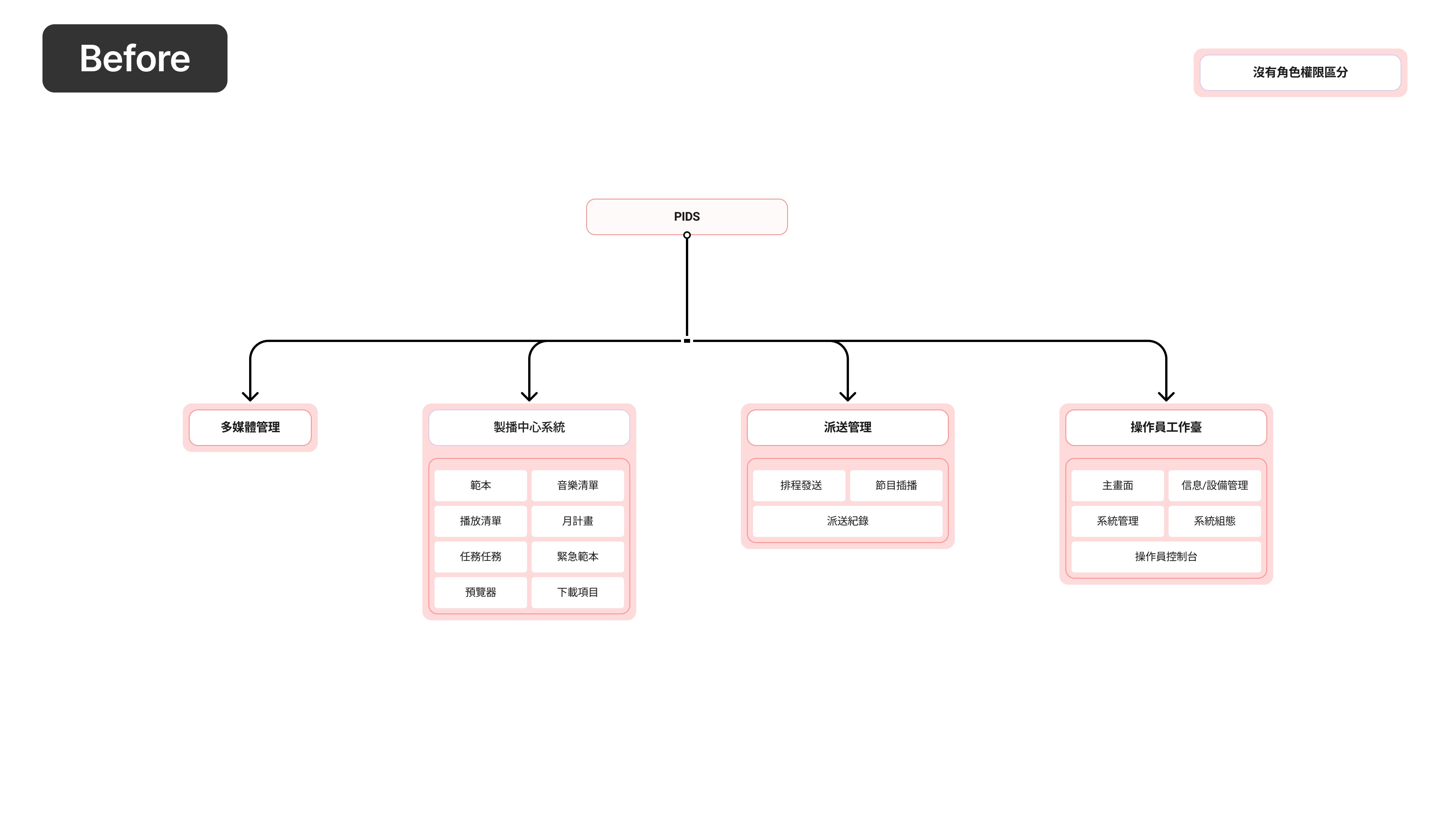
The organization relies on 3 separate teams to collaborate. However, the system's "flat" architecture and lack of Role-Based Access Control (RBAC) forced everyone into the same space. This created constant friction, where teams would accidentally interfere with or overwrite each other's work.
Insight 2: Fragmented, Inefficient Task-Flows
The system was "Function-Oriented," not "Task-Oriented." A user's single task was fragmented across multiple, unrelated modules. For example, to publish one ad, a user had to jump between 3 different top-level menus (Upload Media → Edit Playlist → Schedule Send), creating a slow and frustrating workflow.
Step 4: Building a Prioritization Strategy
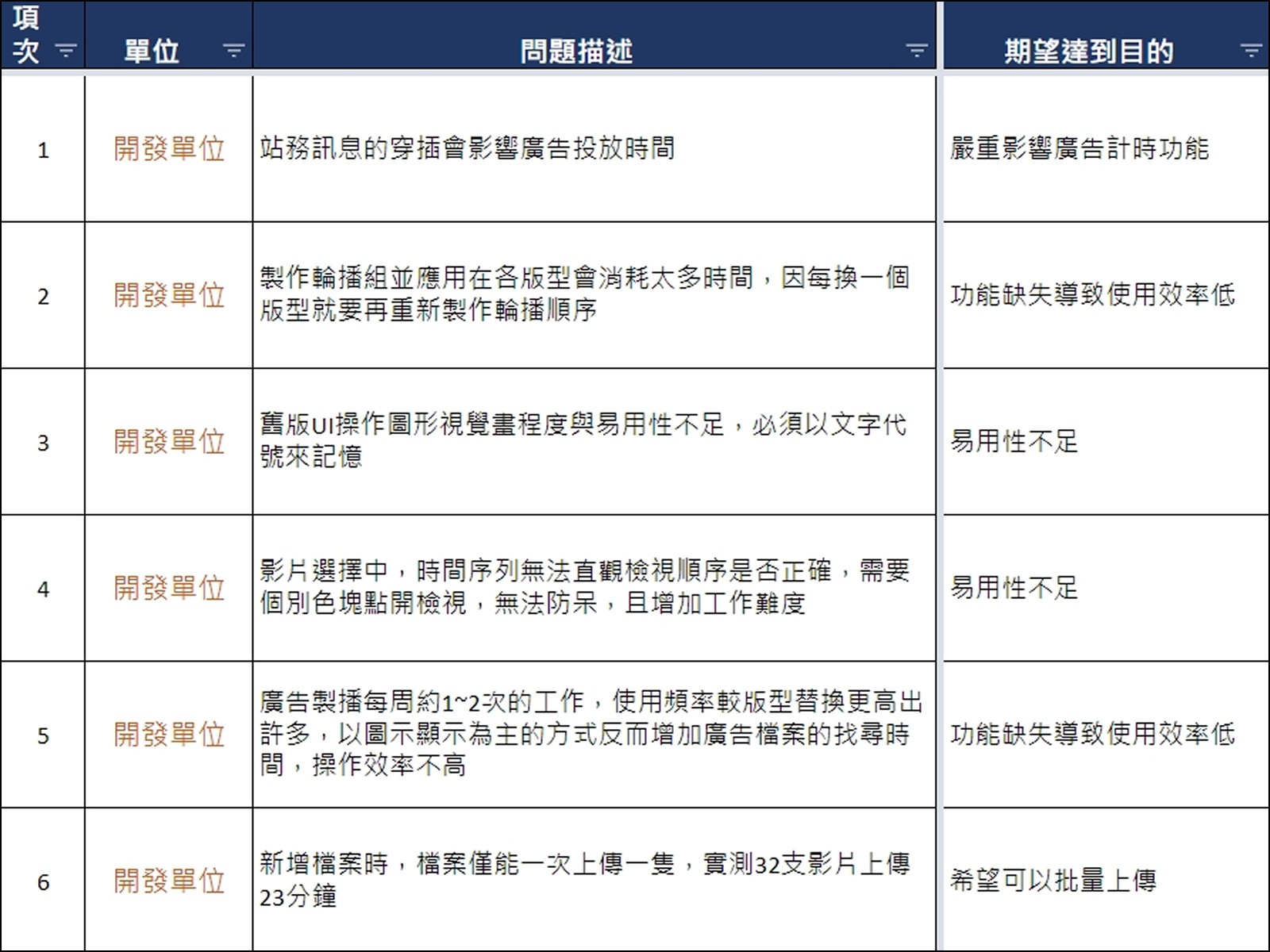
Based on these insights and our tight schedule, my primary task as Project Lead was to prioritize. I established a simple framework to define our MVP and ensure we solved the most critical problems first:
P0 (Critical): The core function is broken or missing, blocking the entire PIDS operation.
P1 (Major): The function exists, but poor usability is causing massive inefficiency and errors.
P2 (Minor): "Nice-to-have" features and user-requested enhancements.
Proposed Solutions
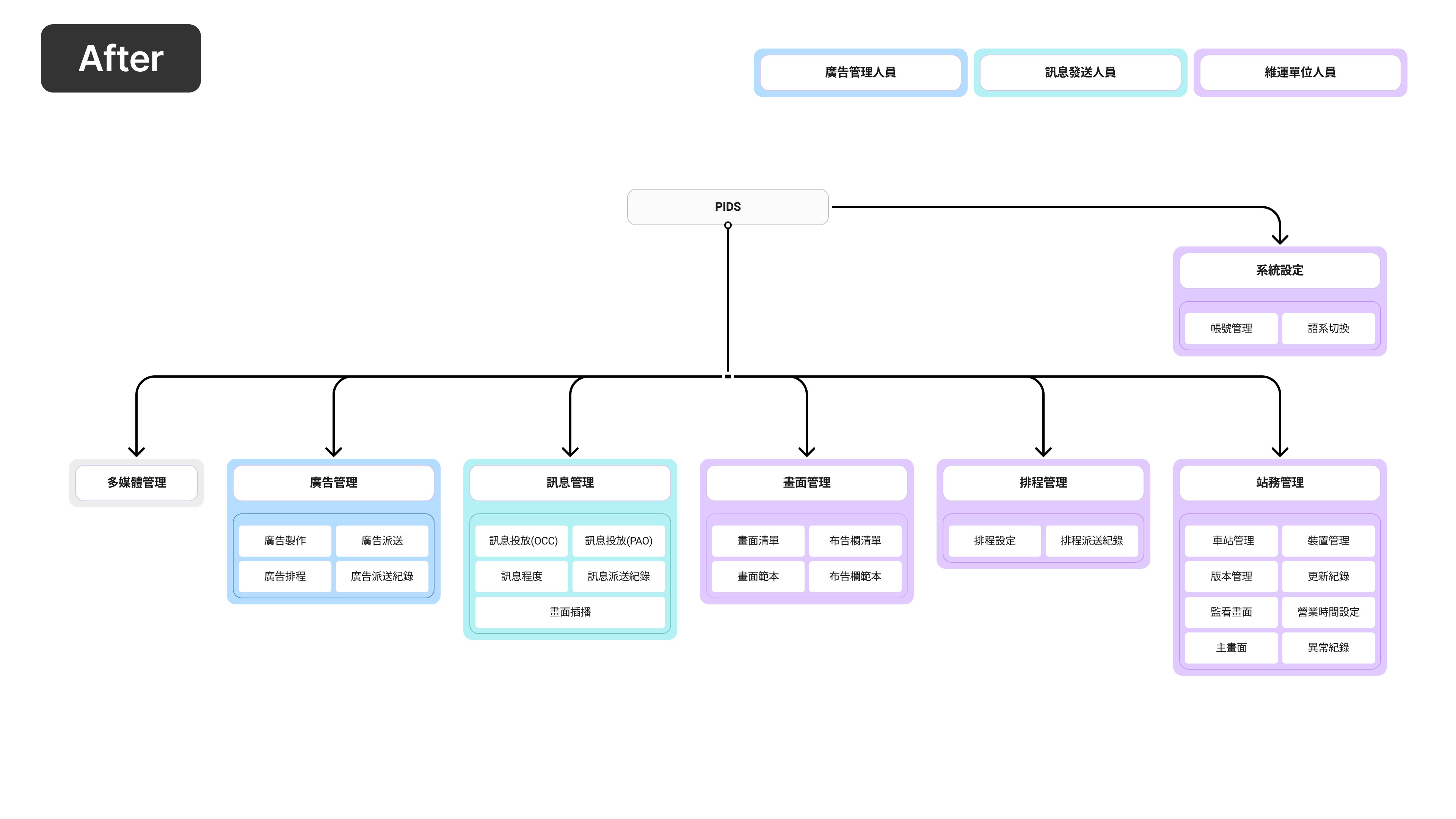
Solution 1: From "Function-Oriented" to "Role-Based" IA
The core problem was the legacy IA, which forced three teams to "fight" in the same workspace. My primary solution was to completely restructure the architecture around a Role-Based Access Control (RBAC) model.
This new IA provides each user persona with their own dedicated workspace. Fragmented workflows were consolidated into single, linear tasks, eliminating cross-team interference.
Solution 2: From "Code Memory" to "WYSIWYG"
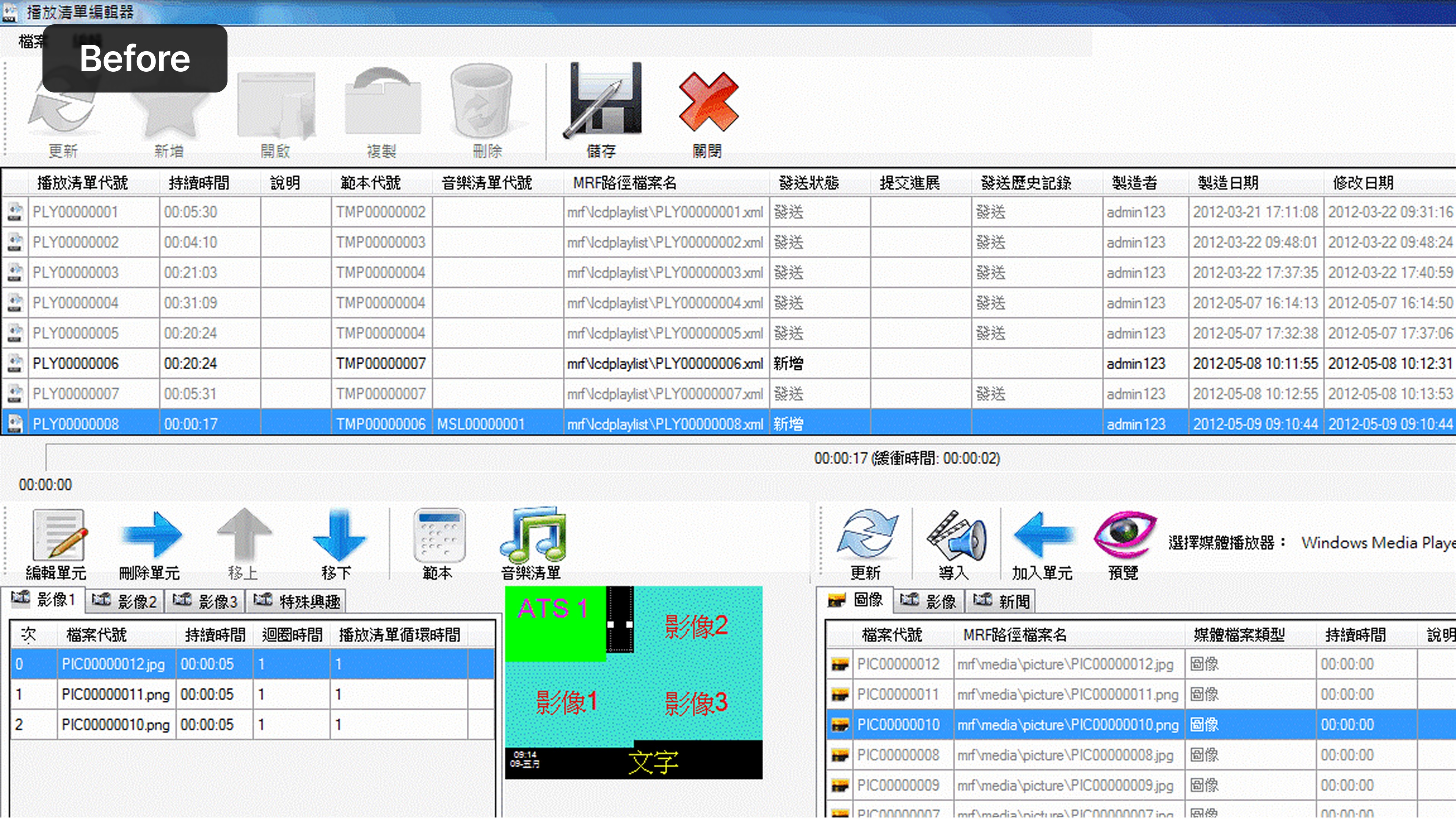
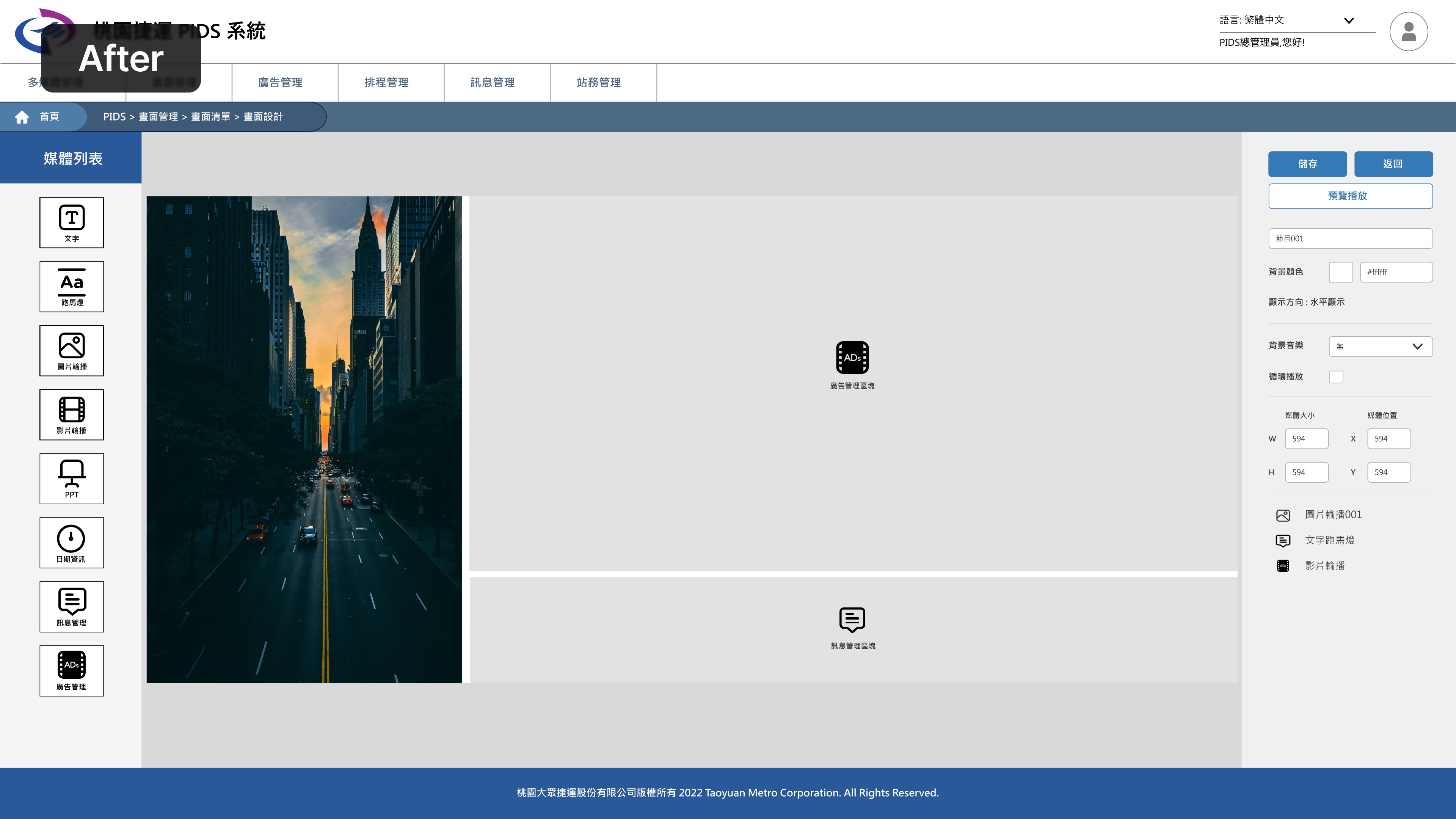
To solve the high cognitive load of users relying on Excel spreadsheets, I designed a modular, "What You See Is What You Get" (WYSIWYG) layout editor. This allows the 'Maintainer' persona to build and manage station display layouts using a simple drag-and-drop interface instead of abstract codes.
Solution 3: Pragmatic Execution (A Case Study in Trade-offs)
When designing the "Ad Scheduling" feature, I applied my pragmatic strategy:
Competitor Analysis: I first analyzed existing CMS software to find proven solutions for playlist management.
Feasibility Check: I developed multiple proposals and proactively consulted the RD (engineering) team to assess the development cost for each.
Approach 01 - (The "Ideal UX"): Drag & Drop Timeline
Based on my analysis, this was the most intuitive, modern solution. However, RD confirmed it would require custom development and had a very high implementation cost.
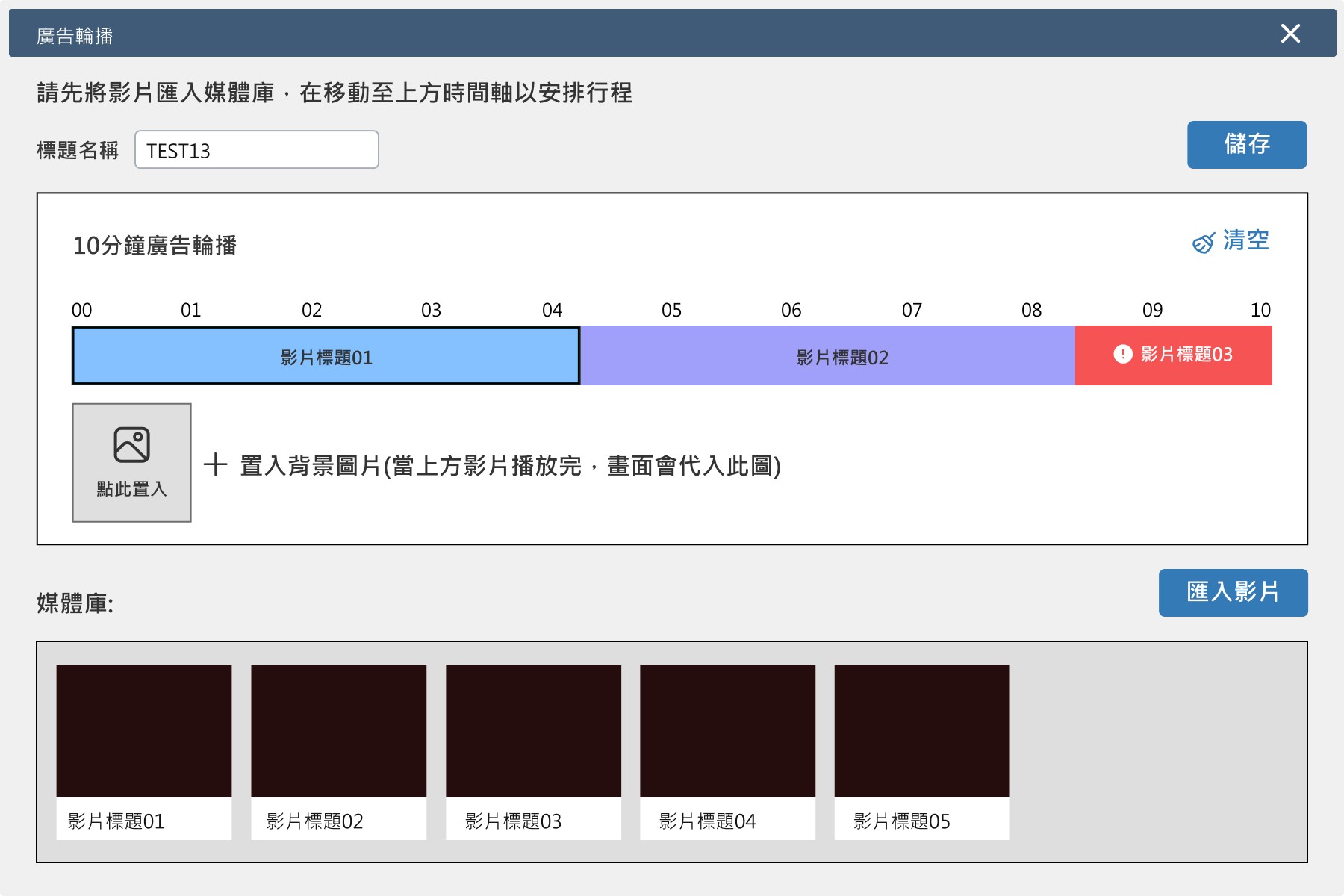
Approach 02 - (The "Pragmatic MVP"): Transfer List Editor
This solution used existing components from our UI library. It was less elegant but still functional. RD confirmed it had a very low implementation cost and could be built quickly.
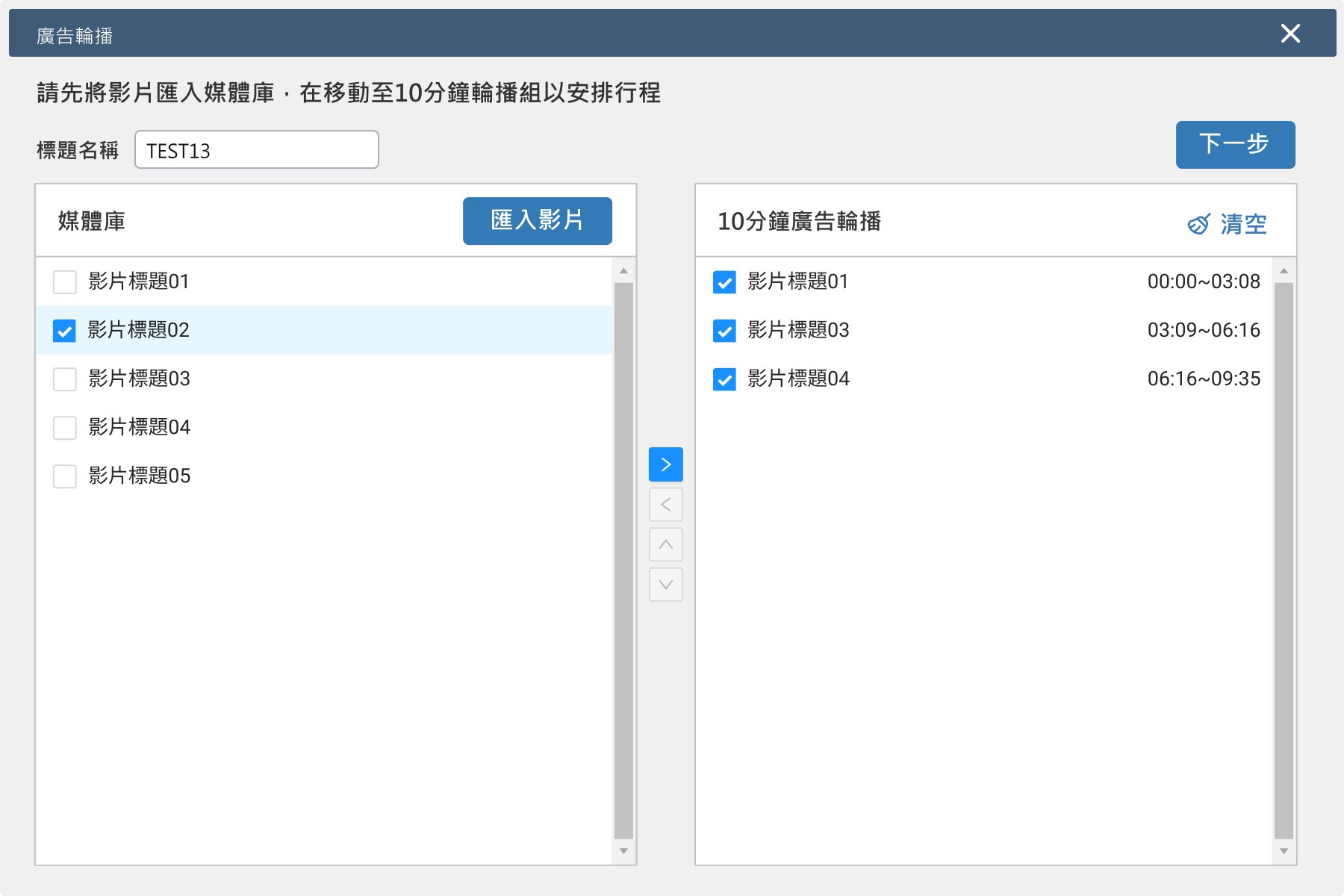
My Decision as Project Lead:
Prioritizing our limited resources and the firm deadline, I made the decision to propose Solution 2 to the client. I advocated for this approach by emphasizing that it 100% fulfilled the user's core task requirements and guaranteed an on-time project launch. This was a conscious trade-off, prioritizing project ownership and delivery over idealistic design perfection.
A More Efficient & Usable PIDS System
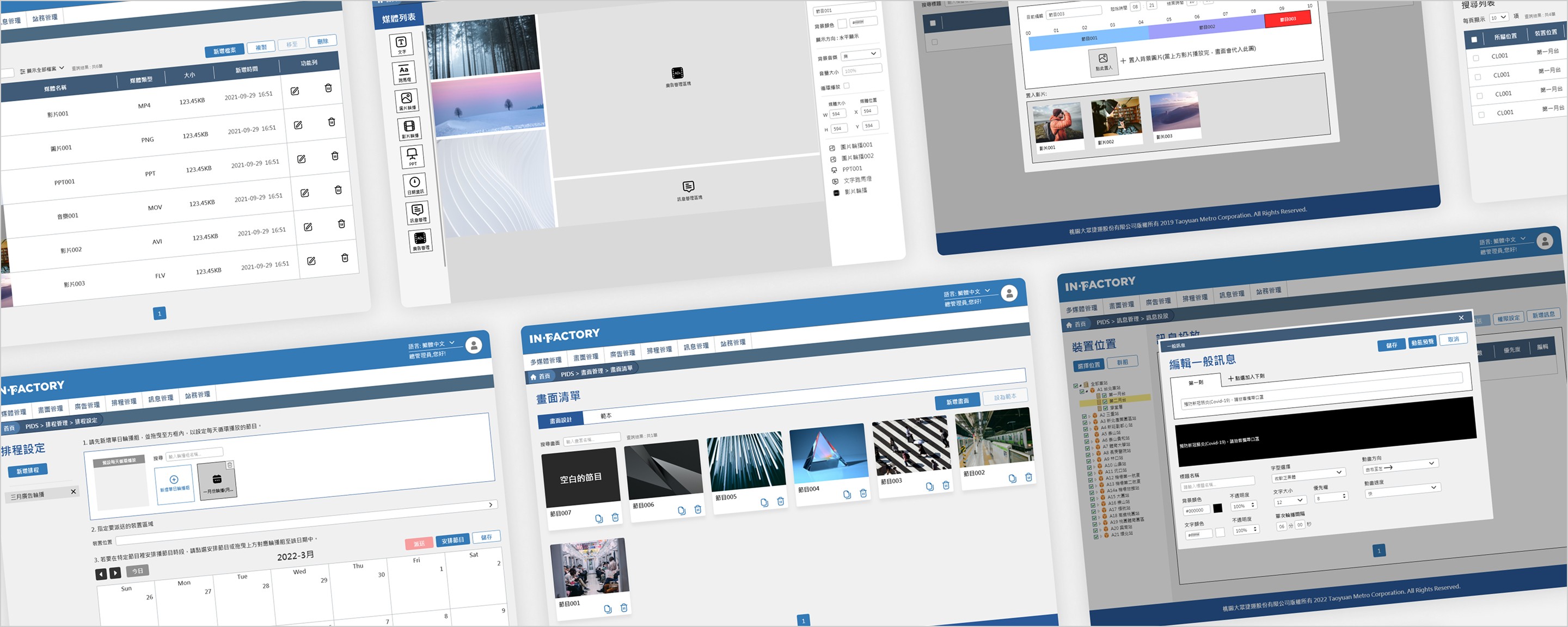
Quantifying the Improvement
We tested 7 end-users before and after the redesign, using NPS and SUS to quantify the change in their experience.
NPS Score
71.4
Jumped from -100 (all Detractors) to +71.4 (5 Promoters, 2 Passives).
SUS Score
69
Average score of 69, surpassing the global average (68) and landing in the "Good" usability range.
Clearer, More Accessible Passenger Information
At-a-Glance Readability
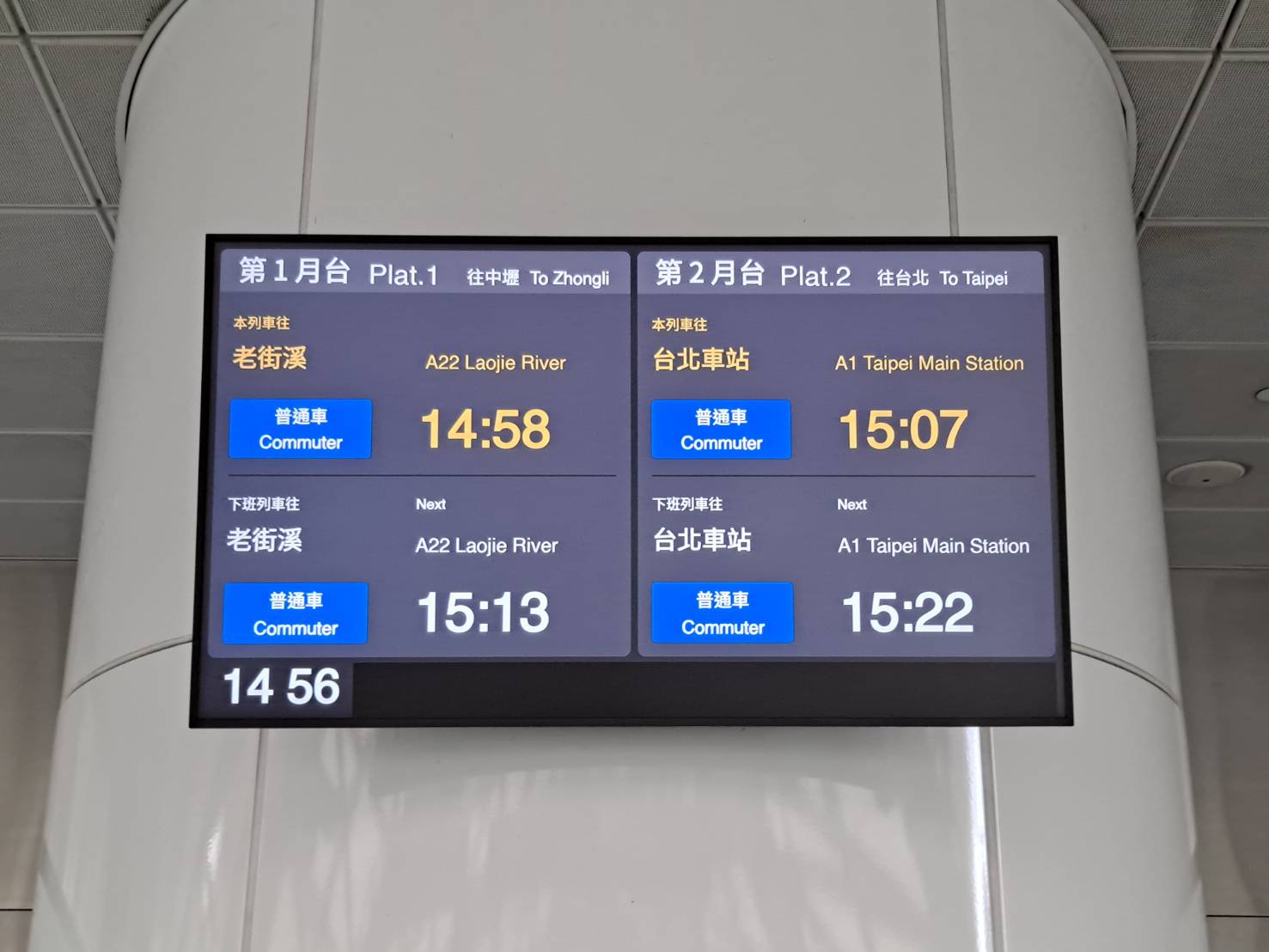
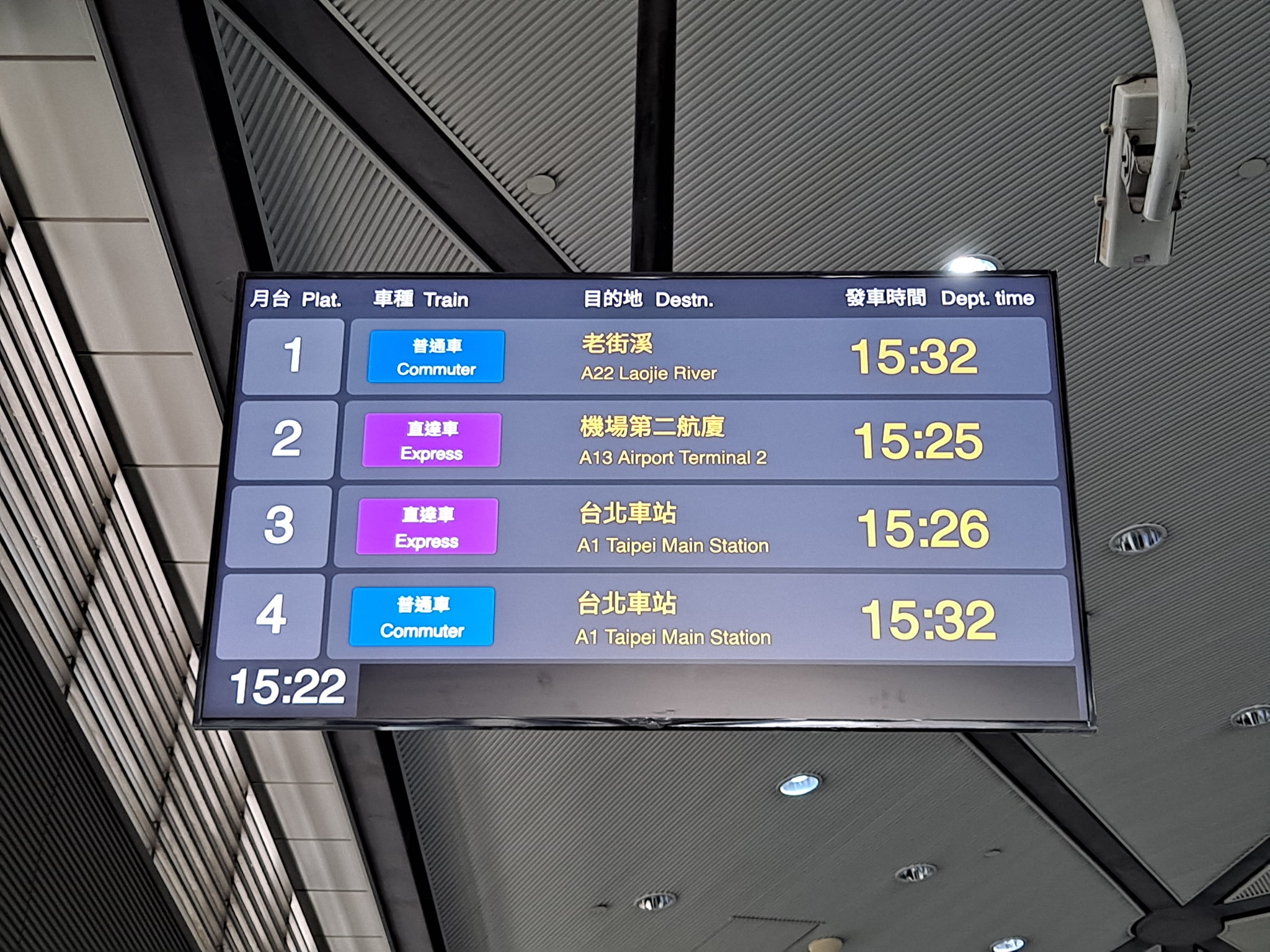
Passengers can now instantly distinguish train types via strong color-coding (Express-Purple / Commuter-Blue).
Accessibility Standards
By increasing the contrast and font hierarchy to meet WCAG AA standards, the destination, train type, and time are now clearly differentiated and legible, even from a distance.
1
The PM Role vs. The Designer Role
As the Project Lead, I learned to navigate the trade-offs between the "ideal UX" and the "development schedule." To ensure a successful launch and meet our business goals, I had to learn to strategically sacrifice "perfect" design for "pragmatic, high-impact" solutions.
2
The Realities of Design & Decision-Making
A well-researched solution won't always be approved, even if it's best for the end-user. Sometimes, the primary factor is the decision-maker's perspective.
Case in Point: My research showed that the dark-mode displays were hard to read in outdoor stations due to glare, so I designed a Light Mode version. Unfortunately, the client did not adopt this solution for internal reasons, and the dark-mode version was deployed everywhere. This taught me the importance of aligning with stakeholder priorities, even when they override ideal usability.
What I Would Do Differently
Conduct Qualitative Validation (To C): While the new passenger displays received positive online comments, I would have pushed for direct, qualitative feedback from passengers on the platform to either validate or iterate on the information hierarchy.
Implement Rigorous Behavioral Metrics: I would have established "Average Time on Task" as a key behavioral metric. This would have provided objective, quantitative data to make the "efficiency improvement" argument even more compelling, beyond the (still valuable) attitudinal data from NPS/SUS.